Queue Management
QMS
Key features
Issues a queue ticket automatically at registration
Waiting-room display screens for each service point
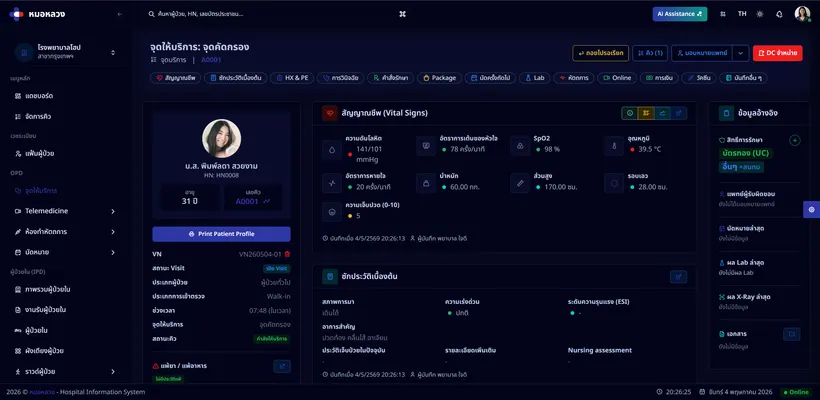
Call the next patient from the system, with an audio announcement
Notify patients through the mobile app
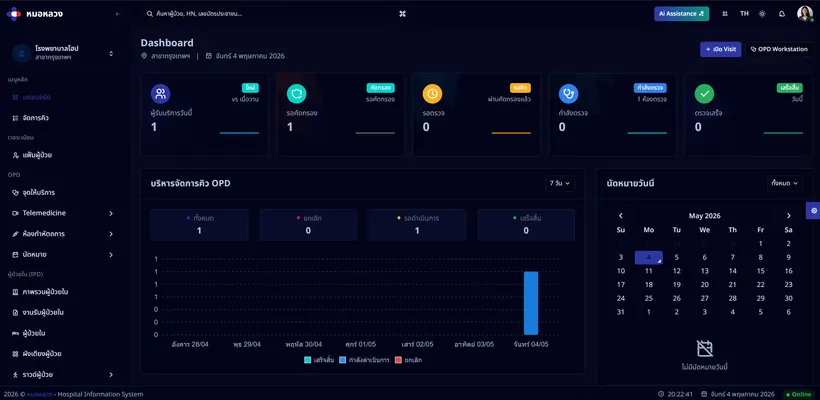
Dashboard of queue length and average waiting time
Hold, skip and recall a queue number
Runs several service points at once
Displays update in real time across every service point
Overview
Queue management brings order to the waiting area: patients are called in a defined sequence, staff are not fielding questions about who is next, and the displays update as things change.
Why it matters
An orderly queue shortens the time patients spend waiting, takes pressure off front-line staff, and gives management a clear view of the load at each service point during the day.
How it connects
Queue tickets are issued when the patient registers in the outpatient module, and the doctor workstation calls the next patient when a consultation room frees up.
Who uses this
Registration staffNursesPhysiciansPatients
Related modules


Hospital information system software, licensed to clinics and hospitals in Thailand.